
The real cost of carrying USB sticks to a CNC
Every time the program changes, the operator walks to the office, copies the file to a USB stick, walks back and plugs it in; wrong files, lost or corrupted sticks and virus risk all mean minutes of machine downtime. In a shop with several operators and machines, this loss repeats every day.
DNC Box eliminates that walk: the file is sent from the office, and the machine reads it as if it were on a USB stick.
How does CNC DNC work?
Using the Linux USB gadget framework, the device appears to the machine as a standard USB flash drive; no extra settings or software are needed on the machine's control. It works with the FAT16 file system that Fanuc controls can read. When a file is uploaded, the virtual drive is refreshed safely and the machine sees the new file.
Access is only through the shop's own network and is never exposed to the internet. You connect with a browser from Windows, Mac, Android, iPhone and tablets; no software is installed on any computer.
Case study: how DNC Box was built
DNC Box was built to end the routine of copying every G-code change to a USB stick and carrying it to the machine. Hardware, software and web panel were designed by one engineer.
- Hardware: A Raspberry Pi Zero series board stays plugged into the machine and acts as a virtual USB stick.
- The disconnect problem: In the first version the legacy g_mass_storage module was unloaded and reloaded on every upload, so the machine lost the connection after 1–3 files. Moving to the Linux ConfigFS USB gadget (libcomposite) fixed it: the drive is now refreshed with a soft eject/reinsert via lun.0/file, without unloading the driver.
- Compatibility: A FAT16 file system so that Fanuc controls can read it.
- Management panel: A web panel running on the device with PHP 8.2, SQLite and Nginx; file uploads and WiFi profiles are managed from the browser.
For similar hardware + software projects see embedded software developer.
Who is it for?
For CNC routers in furniture factories, metalworking shops, businesses running several operators and machines, and CNC owners who want to improve machine productivity. One DNC Box is plugged into each machine, and all machines are accessible from a single panel. Full introduction: Make the USB stick history on your CNC machine.
What I offer
Send files over WiFi
Drag and drop from the office, a phone or a tablet.
Looks like a USB stick
No extra software or settings on the machine.
Within seconds
Uploaded files appear on the machine immediately.
G-code preview
Check the program before sending it.
File history
Which file was uploaded, when and by whom.
Multiple machines & operators
One device per machine, central access.
Closed-network security
Works only on the shop network, never exposed to the internet.
Fanuc compatibility
Compatible with Fanuc controls via the FAT16 file system.
Technologies I use
Official documentation and resources
Standards and official documentation I follow in projects:
Example projects
A selection of live projects serving real users.
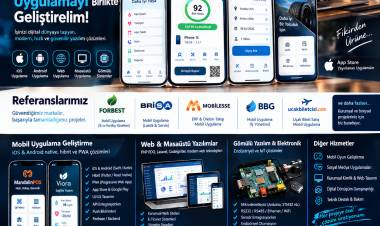
Embedded Software & IoT Solutions
ESP32/STM32 firmware and industrial IoT.
View
Vending Machine Software
Embedded control, touchscreen sales UI, payments and remote management.
View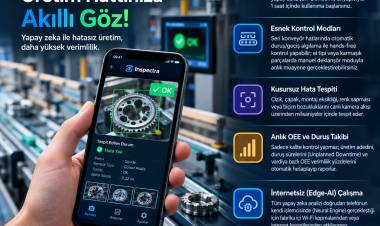
Inspectra — AI Quality Control & OEE
Edge-AI iOS app for camera-based visual quality inspection.
ViewHow we work
Free intro call
We clarify needs, existing systems and goals together.
Quote & roadmap
Scope, technology, timeline and budget within 24 hours.
Staged development
Weekly demos and a live test environment.
Launch & support
Go-live, training and ongoing maintenance.
Free pre-analysisThe first meeting and roadmap are completely free, with no obligation.
Staged delivery and approvalYou review each module on a test environment before we move on.
Written scope and rightsScope, delivery and source code rights are defined in the contract.
Frequently asked questions
What is CNC DNC?
It is a system that transfers program (G-code) files directly from a computer to a CNC machine; DNC Box does this over WiFi and USB.
Does my CNC machine need any installation?
No; DNC Box plugs into the machine's USB port and the machine sees it as a USB flash drive.
Which devices can I send files from?
From Windows, Mac, Android, iPhone and tablets using a browser; you don't need to install any software.
Is it exposed to the internet? Is it secure?
No; it works only on your shop's own network.
Does it work with Fanuc machines?
It works with the FAT16 file system that Fanuc controls read; your machine only needs to support reading programs from USB.
What do I need for multiple machines?
One DNC Box is plugged into each machine; all machines are accessed centrally.