
Four detection methods
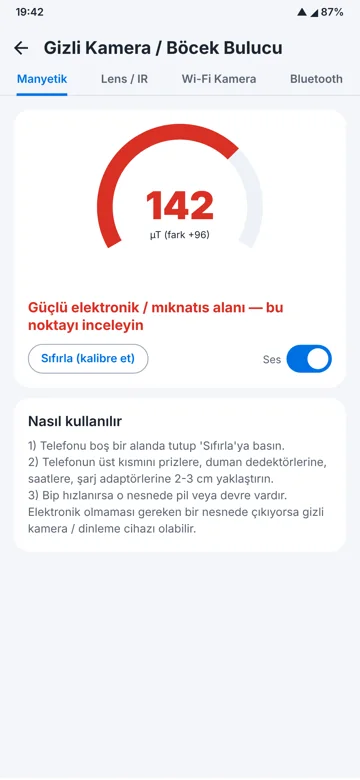
- Magnetic: zero it in an empty area, hold the top of the phone 2–3 cm from sockets, smoke detectors, clocks and chargers; faster beeps mean electronics inside.
- Lens / IR: darken the room and scan slowly; a bright reflection may be a lens.
- Wi-Fi camera: lists devices on your network recognised as cameras.
- Bluetooth: lists nearby devices with signal strength.
Limits
Cameras that record locally without wireless transmission do not appear in Wi-Fi or Bluetooth scans. For legal use, have devices examined forensically: digital forensics. Full app: Android spyware detection app.
Technology stack
KotlinAndroidJetpack ComposeVpnServiceUsageStatsBluetooth LEUSSDPDF
Frequently asked questions
Can a phone detect hidden cameras?
It helps locate suspicious spots using the magnetometer, camera, Wi-Fi and Bluetooth; results are not proof.
How do I check a hotel room for hidden cameras?
Darken the room and look for lens reflections, check smoke detectors, sockets and chargers with the magnetic scan, and scan the Wi-Fi network.