
Check these yourself first
Before contacting an expert, checking the places below gives the fastest result in most cases. These steps write no new data to the device and cost nothing.
- iPhone Recently Deleted: In the Photos app, the Recently Deleted album under Albums keeps deleted photos and videos for a limited time.
- Google Photos Trash: On Android, and on iPhones that use Google Photos, check Trash under Library.
- Manufacturer gallery: Gallery apps from Samsung and similar brands have their own separate trash folder.
- Files app: The iPhone Files app and Android file managers may also have a Recently Deleted or Trash section.
- Cloud backups: Sign in to iCloud and your Google account on the web and check Photos, Drive and backups.
- Computer backup: If you ever backed up the phone to a computer with Finder, iTunes or the manufacturer's software, an older copy may still exist.
Main service page for this topic: digital evidence examination
Stop using the device immediately
Every new photo, app update or message written to the phone after deletion increases the chance that areas holding traces of the deleted data get overwritten. The single most important step is to use the device as little as possible until the recovery attempt is finished.
- Do not take new photos or videos or install apps on the phone.
- Do not install "deleted data recovery" apps from the app stores on the phone itself; the installation writes new data.
- Do not factory reset, and preserve the current state before restoring from any backup.
- Keep the phone on and charging, or switch it off, but avoid repeated restart attempts.
- Note when you deleted the data, which backups were enabled and the device model.
Why not every deleted file comes back
On older phones and memory cards, a deleted file could stay in storage until new data overwrote it. Modern iPhone and Android devices are different: because of file-based encryption the key for a deleted file is destroyed, and the TRIM command quickly clears freed storage blocks. That is why recovering deleted files from raw storage is usually not possible.
App databases, however, can retain traces. Messaging, gallery and system apps use SQLite databases, and fragments of deleted records may be found in their WAL journal files and free pages. This is not certain either. The chances depend on the device model, operating system version, when the data was deleted, how much the phone was used afterwards and whether backups exist. No guarantee is given at any stage; the initial consultation gives a realistic assessment of your specific case.
WhatsApp chats have their own backup and database structure; for details see recover deleted WhatsApp messages.
When to call an expert and how the process works
An expert examination makes sense if you have not found what you need in trash folders and backups, if the data matters in a dispute or internal investigation, or if how the findings were obtained must be documented. The process follows the same steps as the digital evidence examination service:
- Initial consultation: We discuss the device model, when the data was deleted, the backup situation and your expectations; the chance of recovery is assessed realistically.
- Consent and authorisation: It is recorded in writing that the device belongs to you or that you are authorised.
- Hash and copy: The SHA-256 hash of the acquired image and backup files is calculated, and work is done only on a working copy.
- Examination: Backups, app databases and artefacts are analysed with ALEAPP, iLEAPP, Autopsy and Python scripts.
- Report and handover: The recovered data and a log of every step are handed over to you; if needed, the findings are turned into an expert opinion report.
Authorisation, privacy and safety
Examinations are carried out only with the device owner's explicit consent, under company policy and data protection rules (KVKK in Türkiye) for company devices, or by order of a competent authority. Requests to secretly access someone else's phone, crack passwords or bypass a screen lock are refused. For company devices, see the corporate internal investigation page.
Examined data is kept confidential, handed back to you when the job is done, and working copies are deleted. If you suspect your phone is being monitored, a phone security check is the better first step before data recovery.
If you suspect you are being tracked and are in danger, removing the app straight away can alert the person monitoring you; first get support from a safe phone. In an emergency call your local emergency number (112 in Europe, 911 in the US), or contact a domestic abuse helpline in your country.
What I offer
Free checks first
Trash folders and backups reviewed together
Realistic assessment
Case-specific odds instead of guarantees
SHA-256 hash
Original copy stored unchanged
Database traces
SQLite WAL and free-page analysis
Open-source tools
Examination with ALEAPP, iLEAPP and Autopsy
Privacy
Handover and deletion of working copies
Technologies I use
Example projects
A selection of live projects serving real users.
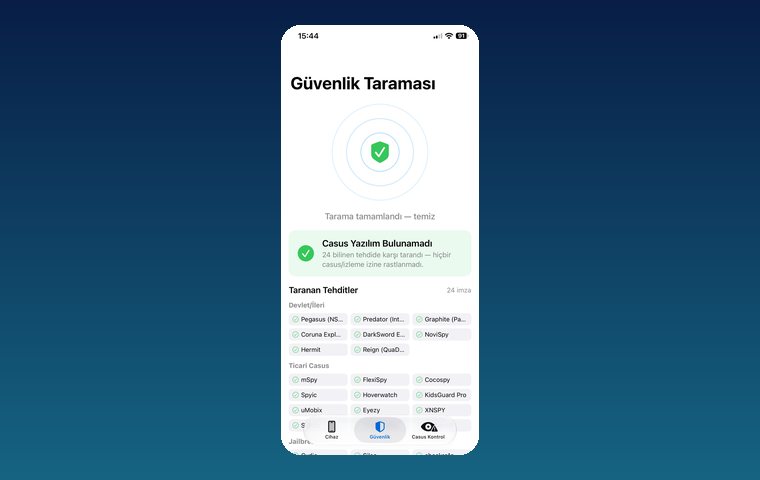
iPhone Security Scan — Spyware Detection
iOS app that scans for state-grade spyware, hidden tracking apps and jailbreak traces.
View
MobilEksper — Phone Inspection & Repair Shop Software
AI-assisted device inspection, IMEI and parts checks, repair service and inventory management.
ViewHow we work
Free intro call
We clarify needs, existing systems and goals together.
Quote & roadmap
Scope, technology, timeline and budget within 24 hours.
Staged development
Weekly demos and a live test environment.
Launch & support
Go-live, training and ongoing maintenance.
Free pre-analysisThe first meeting and roadmap are completely free, with no obligation.
Staged delivery and approvalYou review each module on a test environment before we move on.
Written scope and rightsScope, delivery and source code rights are defined in the contract.
Frequently asked questions
Can deleted photos be recovered from a phone?
In most cases the best sources are the Recently Deleted album, the Google Photos Trash and iCloud or Google backups. If they are not there, encryption and TRIM on modern phones usually make raw storage recovery impossible; app databases may hold small thumbnails or record traces, but this is not certain.
Can permanently deleted photos be recovered on an iPhone?
For photos also removed from Recently Deleted, iCloud Photos, an older iCloud backup or a computer backup are checked. Without a backup, the iPhone's hardware encryption makes on-device recovery unlikely; your situation is assessed realistically in the initial consultation.
How do I recover deleted files on an Android phone?
First check the Google Photos Trash, the manufacturer Gallery app's trash, the file manager and your Google Drive backup. If you use a memory card, remove it and stop using it; cards can hold more traces than the phone's internal storage.
Should I install a data recovery app on my phone?
Not recommended. Installing an app writes new data to the device and increases the chance of overwriting traces. Some of these apps also request broad permissions and can put your personal data at risk.
Do I need to give my phone passcode for recovery?
Yes, the examination is done on a device unlocked by its owner, who has given consent. Requests to bypass the lock on a phone whose passcode is unknown or that belongs to someone else are refused.
Can recovered data be used in court?
The examination is documented with hash values and step logs and, if requested, turned into an expert opinion report. The court decides the evidential weight of the report and the data; no guarantee is given on this.