
When is Flutter the right choice?
- When you want to launch on iOS and Android at the same time.
- When the app is mostly standard flows such as lists, forms, maps, payments and notifications.
- When several apps, such as customer and business apps, need to share components.
- When you want to reduce maintenance with one team and one codebase.
In Flutter the logic for both platforms is written once, so a new feature lands on both platforms at the same time. This usually has a positive effect on timeline and app development cost.
When should you choose native (SwiftUI, Kotlin)?
If the camera, sensors, on-device AI, 3D graphics or low-level system access sit at the heart of the app, native development delivers better results. Hakan Sevimoğlu has worked natively on such projects: Inspectra, which runs on-device AI quality inspection with the iPhone camera, and Kassa, an iPhone mobile POS app, were built with SwiftUI; FaceMorph AI, which performs 3D face analysis on Android tablets, was built with Kotlin and Jetpack Compose.
If you are targeting only one platform, native is also a straightforward choice. For details see the iOS app development and Android app development pages.
Flutter + Laravel API architecture: the yollad example
yollad is an app that brings roadside assistance and EV charging services together. In the project, the customer app and business app are built with Flutter, the server side as a Laravel API and the management side as a web-based admin panel. Development is ongoing and the project is at the App Store submission stage.
- Flutter apps: Separate apps for customers and businesses with shared components.
- Laravel API: Authentication, business rules, notification and payment flows.
- Admin panel: Management of businesses, services, users and reports.
- Store publishing: Separate store processes and policy compliance for each platform.
For more on the backend side, see the Laravel PHP development page.
Things to watch in Flutter projects
A single codebase does not mean meeting both stores' rules in one go. App Store and Google Play reviews run separately; permission texts, sign-in methods and payment rules must be checked for each platform. When a platform-specific need arises, native code can be called from Flutter, so a project that starts in Flutter can still reach native capabilities when needed.
What I offer
Single codebase
iOS and Android from one code
Laravel API
Secure, scalable backend
Admin panel
Web-based management panel
Native bridge
Platform-specific code when needed
Store publishing
App Store and Google Play process
Native experience
SwiftUI and Kotlin projects
Technologies I use
Example projects
A selection of live projects serving real users.

Inspectra — AI Quality Control & OEE
Edge-AI iOS app for camera-based visual quality inspection.
View
Kassa — iPhone POS & Inventory App
Barcode sales, stock, customer credit and profit reports for grocery stores and kiosks; works offline.
View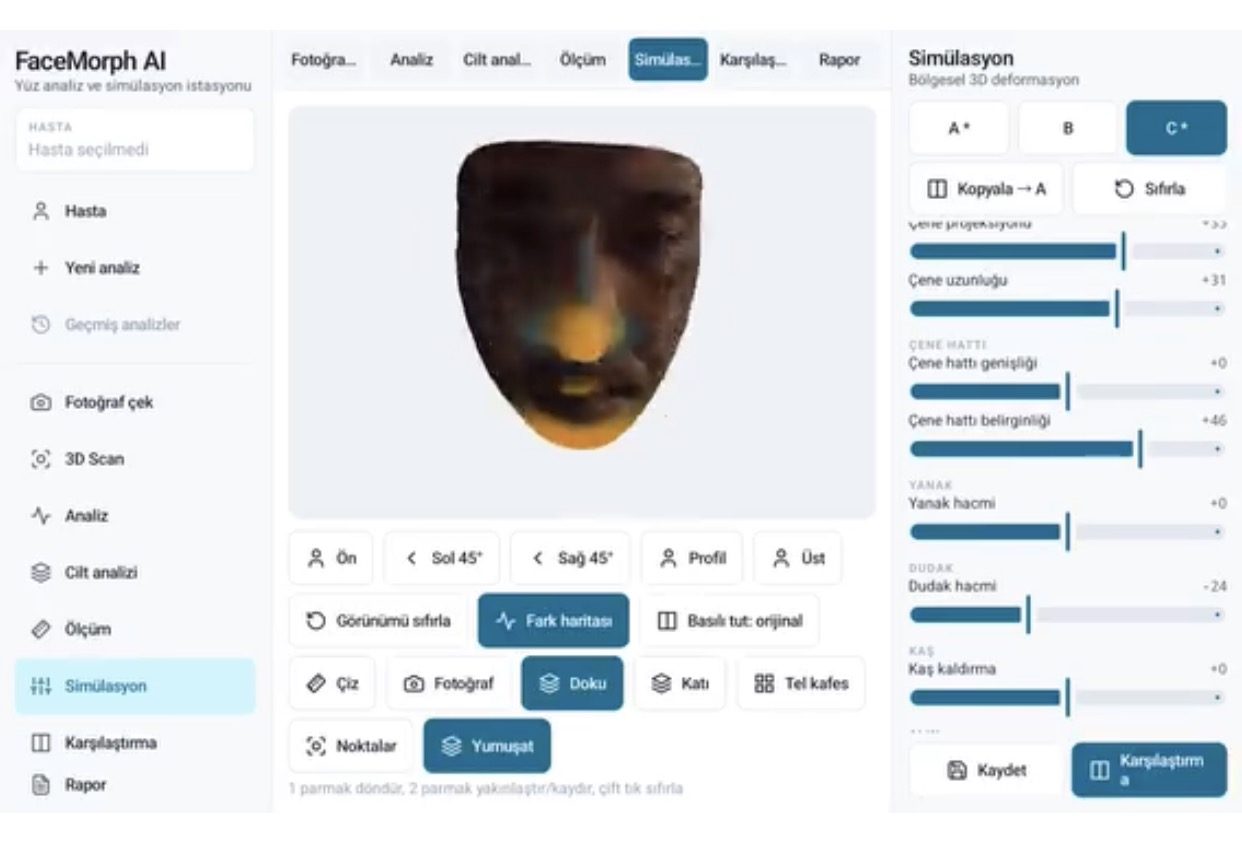
FaceMorph AI — 3D Face Analysis & Aesthetic Simulation
3D face analysis, measurement, filler/Botox/lifting simulation, before/after comparison and PDF reports for aesthetic clinics.
ViewHow we work
Free intro call
We clarify needs, existing systems and goals together.
Quote & roadmap
Scope, technology, timeline and budget within 24 hours.
Staged development
Weekly demos and a live test environment.
Launch & support
Go-live, training and ongoing maintenance.
Free pre-analysisThe first meeting and roadmap are completely free, with no obligation.
Staged delivery and approvalYou review each module on a test environment before we move on.
Written scope and rightsScope, delivery and source code rights are defined in the contract.
Frequently asked questions
Is a Flutter app as fast as a native one?
For standard interfaces and workflows, Flutter apps run smoothly. Projects needing heavy camera processing, on-device AI or 3D graphics are better suited to native development.
Can Flutter publish to both iOS and Android?
Yes. Apps for both platforms are compiled from the same codebase; however, App Store and Google Play publishing processes run separately.
What backend should a Flutter app use?
Flutter works with any API. The yollad project uses a Laravel API and a web-based admin panel.
I can't decide between native and Flutter. What should I do?
Look at the features at the core of the app: if device hardware and performance are critical, go native; if fast launch on both platforms and shared maintenance are the priority, Flutter fits. The decision is made together in the scope call.
Should I migrate my existing native app to Flutter?
Not always. Instead of migrating a working native app, building separately for the missing platform or improving the existing code may be the better path; the existing code is reviewed first.