
Why should a grocery store POS run on a phone?
For a small business, a POS program that needs a separate computer, a separate barcode scanner and installation costs both money and counter space. In Kassa, the iPhone camera is the barcode scanner; you scan the product, see the total and take payment. Stock drops automatically with each sale, and you get an alert when a product hits its critical level.
During busy hours you can connect an external barcode scanner; with an ÖKC (fiscal cash register POS), thermal receipt printer and shelf label printer, it works just like a full supermarket checkout.
Main service page for this topic: barcode sales software
Store inventory software and store-credit ledger
Stock quantity, expiry date and shelf location are tracked for every product; stock is updated with incoming goods and reduced with sales. Store-credit customers' balances, points and prepayments are tracked on the same screen, so there's no need for a paper ledger.
AI-assisted analyses such as daily sales and profit reports, best-selling and non-selling products, shrinkage and price checks show the owner the real state of the business.
Barcode POS app: offline and secure
Sales don't stop when the internet goes down; records are kept on the phone and automatically backed up to the cloud when the connection returns. With owner and cashier roles, PIN app lock and permission restrictions, each user sees only their own work.
Product page, features and trial: kassa.com.tr. If you need POS software built specifically for your business, see the mobile POS and inventory software development page.
Technical architecture: data flow
Barcodes are scanned with the iPhone camera or an external scanner; the sale reduces stock and goes to the cash register and printers if needed. Records are kept on the phone first and backed up to the cloud when online; owner reports and credit accounts are tracked from there.
flowchart LR
  CAM["iPhone camera / external barcode scanner"] --> SAT["Sales screen"]
  SAT --> STK["Stock deduction, low-stock alert"]
  SAT --> CIH["Cash register POS, thermal receipt, label printer"]
  SAT --> LOK[("On-device records, offline")]
  LOK -->|"when online"| BUL[("Cloud backup")]
BUL --> RAP["Owner reports and credit accounts"]What I offer
Barcode via iPhone camera
Sell by scanning barcodes with no extra hardware; external scanners also supported.
Automatic inventory tracking
Stock drops with every sale; critical stock, expiry date and shelf location tracking.
Store-credit ledger
Customer balance, points and prepayment tracking.
Daily profit report
Sales, profit, best-seller and dead stock analysis.
Offline sales
Sell without internet; cloud backup once connected.
Hardware support
ÖKC (fiscal cash register POS), thermal receipt and label printers.
5 cashiers & roles
Owner/cashier roles, PIN lock and permissions.
AI modules
Loss finder, price check, dead stock analysis and assistant.
Technologies I use
Official documentation and resources
Standards and official documentation I follow in projects:
Example projects
A selection of live projects serving real users.
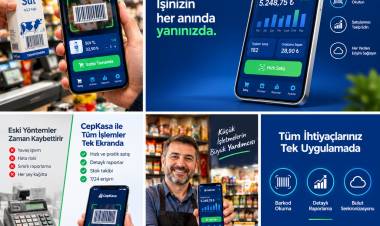
Kassa — iPhone POS & Inventory App
Barcode sales, stock, customer credit and profit reports for grocery stores and kiosks; works offline.
View
MandalinPos Barcode Sales
Fast checkout and POS software for retail.
View
Restaurant POS & Order Management
Tables, kitchen and checkout in one system.
ViewHow we work
Free intro call
We clarify needs, existing systems and goals together.
Quote & roadmap
Scope, technology, timeline and budget within 24 hours.
Staged development
Weekly demos and a live test environment.
Launch & support
Go-live, training and ongoing maintenance.
Free pre-analysisThe first meeting and roadmap are completely free, with no obligation.
Staged delivery and approvalYou review each module on a test environment before we move on.
Written scope and rightsScope, delivery and source code rights are defined in the contract.
Frequently asked questions
What is a mobile POS app?
It is cash register software that rings up barcode sales from a phone or tablet, deducts stock automatically and keeps sales reports; it needs no separate computer or installation.
Which businesses is Kassa suitable for?
It is designed for grocery stores, kiosks, markets, liquor stores, stationery shops and small retailers.
Does the iPhone POS app work without a barcode scanner?
Yes; the iPhone camera works as the barcode scanner. An external barcode scanner can also be connected if you prefer.
Can I make sales without internet?
Yes; sales are saved on the phone and automatically backed up to the cloud when the connection returns.
Can a cash register and receipt printer be connected?
Yes; ÖKC (fiscal cash register POS), thermal receipt printers and label printers are supported.
What does it cost, and is there a trial?
It is sold with a fixed annual license, all modules included, and can be tried free for 14 days. The current price is listed on kassa.com.tr.