
What each item in the test means
- Is your system up to date: iOS and Android updates close known security holes; an outdated version is the most common risk.
- Is your screen lock strong: A short or guessable passcode makes it easy for someone with physical access to install a tracking app.
- Is two-step verification on: Two-step verification in WhatsApp and two-factor authentication on Apple and Google accounts make account takeover much harder.
- Are your linked devices clean: A session you do not recognise in WhatsApp's Linked devices list can mean your messages are being read elsewhere.
- Are there unknown apps or profiles: An unfamiliar configuration profile or device management on iPhone, or an unknown app with accessibility or device admin rights on Android, needs attention.
- Is location sharing under control: Safety Check on iPhone and the location sharing settings in your Google account on Android show who you share your location with.
Quick fixes
- Install the system update and restart the phone.
- Change your screen lock to at least six digits or an alphanumeric passcode.
- Run Security Checkup on your Google account and a Play Protect scan on Android.
- Log out of unknown sessions in WhatsApp's Linked devices list.
- Remove unknown apps and profiles, keeping the safety warning below in mind.
When should you get help?
If more than one item fails, if you found an unknown profile or admin app, or if someone knows private things they should not, it is wise to get a detailed check. With the phone security check service you can get support remotely via WhatsApp or in person in İzmir.
Detailed guides by topic: is my phone tapped, has my phone been hacked, WhatsApp account hacked.
If you suspect you are being tracked and are in danger, removing the app straight away can alert the person monitoring you; first get support from a safe phone. In an emergency call your local emergency number (112 in Europe, 911 in the US), or contact a domestic abuse helpline in your country.
What I offer
Up-to-date system
The first check that closes known holes
Strong screen lock
Protection against physical access
Two-step verification
Makes account takeover harder
Linked devices
Review your WhatsApp sessions
Profiles and permissions
Unknown management and access rights
Location sharing
Check who can see where you are
Technologies I use
Example projects
A selection of live projects serving real users.
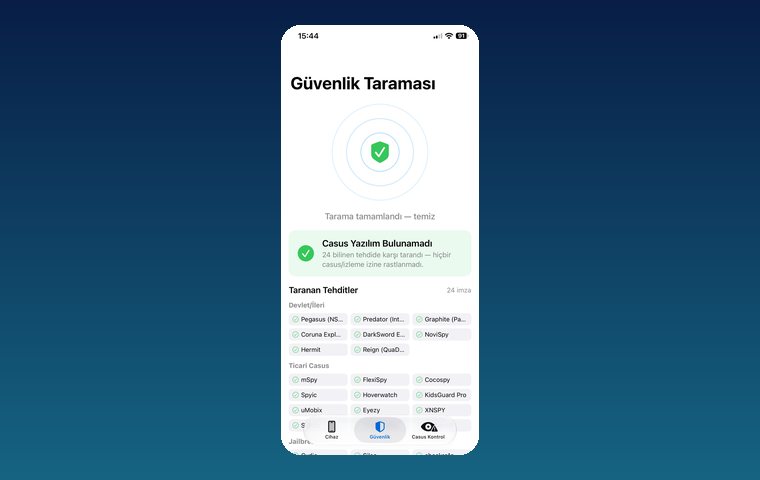
iPhone Security Scan — Spyware Detection
iOS app that scans for state-grade spyware, hidden tracking apps and jailbreak traces.
View
MobilEksper — Phone Inspection & Repair Shop Software
AI-assisted device inspection, IMEI and parts checks, repair service and inventory management.
ViewHow we work
Free intro call
We clarify needs, existing systems and goals together.
Quote & roadmap
Scope, technology, timeline and budget within 24 hours.
Staged development
Weekly demos and a live test environment.
Launch & support
Go-live, training and ongoing maintenance.
Free pre-analysisThe first meeting and roadmap are completely free, with no obligation.
Staged delivery and approvalYou review each module on a test environment before we move on.
Written scope and rightsScope, delivery and source code rights are defined in the contract.
Frequently asked questions
Will this test tell me for sure if my phone has a virus?
No. It is a self-check list that shows your basic security settings. A definitive assessment needs a detailed scan and review.
One item failed. Does that mean my phone is hacked?
A single missing item usually just means a setting needs fixing, not that you have been hacked. If more than one item fails, a detailed check is recommended.
How often should I take the test?
Every few months is enough, plus whenever you lend your phone to someone, send it for repair or notice something suspicious.
I found an app I do not recognise. Should I delete it right away?
In most cases you can; but if you suspect someone close to you is tracking you and you are in danger, get support from a safe phone first.