
What to do in the first 10 minutes
- Search your inbox for the email or password changed notice from Instagram/Meta; its revert this change link helps you restore your original email address.
- If you cannot find that email, go to instagram.com/hacked in a browser and choose the option that fits (my account was hacked, my email was changed and so on).
- Use the help options on the Instagram app's login screen (get help logging in / forgot password) to request a code to your registered phone number or email.
- Immediately change the password on your email and any other accounts that used the same password; if your email account was also taken over, recover that first.
Even if the attacker changed the email and phone number, the process can be started with details belonging to the original owner. Requesting lots of codes at once can trigger a temporary restriction, so follow the steps in order.
Identity verification with a video selfie
If your account contains photos of you, Instagram may ask for a short video selfie in which you turn your head in different directions to verify your identity. The video is compared with the photos on the account, and the review can often take a few days.
- Record the video in good light with your face clearly visible.
- Do not keep restarting the process while you wait for the review.
- Use the link you receive after verification to set a new, unique password.
Secure the account once you are back in
- Turn on two-factor authentication under Password and security in Accounts Center; an authenticator app is safer than SMS.
- Check the list of logged-in devices and end any sessions you do not recognise.
- Review the email, phone number and connected apps on your profile.
- Let your followers know about any messages the attacker sent in your name.
An account takeover is sometimes caused by a malicious app or profile left on the phone. If you are unsure, read the has my phone been hacked guide or get help from the phone security check service.
Recognise phishing messages
Most Instagram accounts are stolen when users type their own password into a fake page. The most common traps are:
- DMs or emails warning of a copyright violation and saying "your account will be closed within 24 hours".
- Messages promising a verified badge (blue tick) if you fill in a form.
- "I sent you a code by mistake, can you forward it?" messages from a friend's account.
- Any message that sends you to an outside link instead of Instagram's official in-app notifications.
You can see the official emails Instagram has sent you in the app's security settings; a message that does not appear there is very likely fake.
What I offer
instagram.com/hacked
Straight to the official recovery flow
Email revert
The revert link in Meta's email
Video selfie
Identity check for accounts with photos
Two-factor authentication
The key step against repeat theft
Session cleanup
Remove devices you do not recognise
Phone check
Look for the malware behind it
Technologies I use
Example projects
A selection of live projects serving real users.
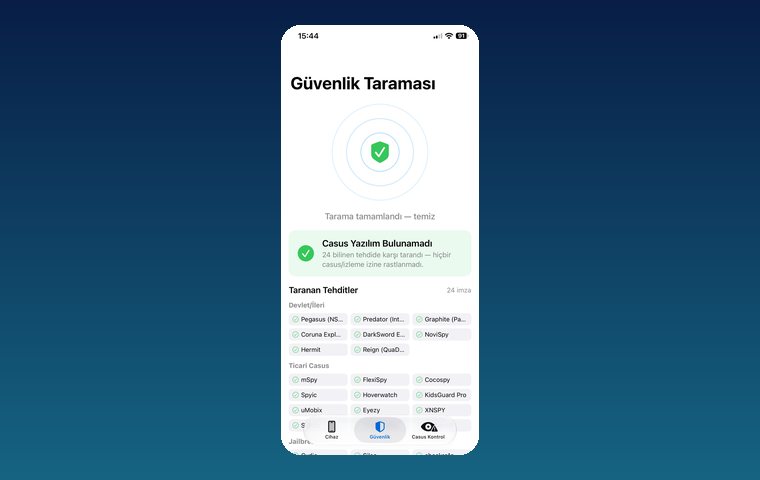
iPhone Security Scan — Spyware Detection
iOS app that scans for state-grade spyware, hidden tracking apps and jailbreak traces.
View
Pingora — Number-Free Messaging
Secure messaging and video calls without sharing a phone number.
ViewHow we work
Free intro call
We clarify needs, existing systems and goals together.
Quote & roadmap
Scope, technology, timeline and budget within 24 hours.
Staged development
Weekly demos and a live test environment.
Launch & support
Go-live, training and ongoing maintenance.
Free pre-analysisThe first meeting and roadmap are completely free, with no obligation.
Staged delivery and approvalYou review each module on a test environment before we move on.
Written scope and rightsScope, delivery and source code rights are defined in the contract.
Frequently asked questions
My Instagram was hacked and the email and phone were changed. What do I do?
First look for the "revert this change" link in the Meta email sent to your old address. If there is none, start the process at instagram.com/hacked; if the account has photos of you, you can verify your identity with a video selfie.
How long does video selfie verification take?
The review can often take a few days. During that time, do not restart the process and keep an eye on incoming emails.
Can I trust accounts that charge to recover my Instagram?
No. Most people on social media offering to "recover your account" are scammers. Instagram does not charge for account recovery; use only the official channels.
Is the copyright violation message real?
Copyright or blue tick messages asking you to click a link and enter your password are phishing attempts. You can check Instagram's official messages in the app's security settings.
How do I stop my account being stolen again?
Turn on two-factor authentication with an authenticator app, use a unique password, end sessions you do not recognise and never share your codes with anyone.