

Steps to publish an app on the App Store
- Apple Developer Program membership: individual or company account (a company account requires a D-U-N-S number)
- Certificates, App ID and provisioning profiles
- App record, bundle ID and pricing in App Store Connect
- Internal and external testing with TestFlight
- Store page: screenshots, description, keywords, privacy policy
- App Privacy (privacy label) declarations
- Submission for review and responding to the review team's questions
Most common App Store rejection reasons and how to fix them
4.2 Minimum Functionality: An app is rejected if it looks like a shell around a website or does not offer enough functionality. The fix is to add real app features that use device capabilities and work meaningfully offline as well.
4.3 Spam: Apps generated from templates or very similar to other apps in the store are rejected. 5.1.1 Data Collection: Unnecessary permissions, no account deletion option or undisclosed data collection are grounds for rejection. 3.1.1 In-App Purchase: Apple's payment system must be used for selling digital content.
Who is it for?
It suits companies unable to publish an app built by another team, startups facing repeated rejections, those who want to bring their Android app to iOS, and those who want to have an iPhone app built with the whole process handled by one person. The app's source code is reviewed, the necessary fixes are made and publishing is completed.
What I offer
Account setup
Individual or company Apple Developer account, D-U-N-S process.
Code signing
Certificates, App ID and provisioning profiles.
TestFlight
Internal and external test distribution before release.
Store page
Screenshots, description and keyword optimization.
Rejection fixes
Technical solutions for 4.2, 4.3, 5.1.1 and 3.1.1 rejection reasons.
Release management
Updates and compatibility with new iOS versions.
Technologies I use
Example projects
A selection of live projects serving real users.

Ezan Vakti – Gümüşpala Hizmet (iOS)
Prayer times, Ramadan calendar, qibla and worship tracking; live on the App Store.
View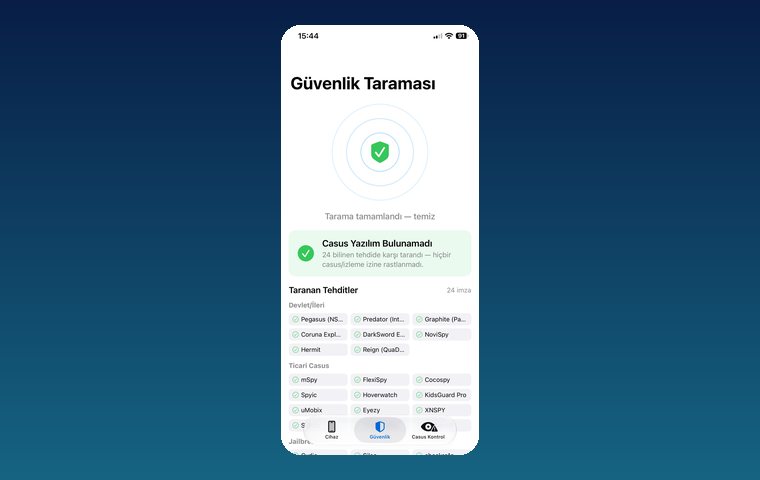
iPhone Security Scan — Spyware Detection
iOS app that scans for state-grade spyware, hidden tracking apps and jailbreak traces.
View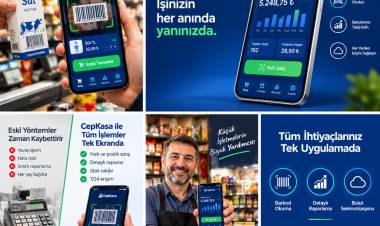
Kassa — iPhone POS & Inventory App
Barcode sales, stock, customer credit and profit reports for grocery stores and kiosks; works offline.
ViewHow we work
Free intro call
We clarify needs, existing systems and goals together.
Quote & roadmap
Scope, technology, timeline and budget within 24 hours.
Staged development
Weekly demos and a live test environment.
Launch & support
Go-live, training and ongoing maintenance.
Free pre-analysisThe first meeting and roadmap are completely free, with no obligation.
Staged delivery and approvalYou review each module on a test environment before we move on.
Written scope and rightsScope, delivery and source code rights are defined in the contract.
Frequently asked questions
Is there a fee to publish an app on the App Store?
The Apple Developer Program membership has an annual fee; the current fee is published on Apple's website. There is no additional fee to publish an app for free.
What is needed to publish under a company name?
A company (organization) account requires the company's D-U-N-S number; the app appears in the store under the company name.
How long does Apple's review take?
Apple states that most reviews are completed quickly; rejections and resubmissions extend the timeline.
My app was rejected under 4.2, what should I do?
The app needs to offer real features that use device capabilities, beyond a web view. The source code is reviewed, missing functionality is added and the app is resubmitted.
Can you publish an app someone else built?
Yes. With access to the source code and account, the build, signing and publishing process is completed; if needed, fixes are made based on the rejection reasons.
Can you bring my Android app to iOS?
Yes. The app is redeveloped for iOS with Swift/SwiftUI, or a suitable approach is recommended based on the existing architecture.